Avery L7161 A4 Address (18/sheet) PDF Template

Print 18-per-sheet Avery L7161 A4 Address (18/sheet) (63.5×46.6 mm) with millimeter X/Y alignment calibration.
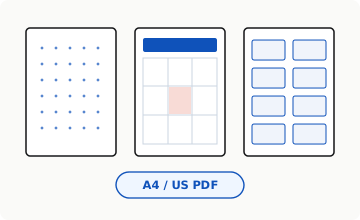
Three crisp paper sheets showing dot grid, monthly calendar, and sticker labels

Step 1 · Pick Your Format (A4 or US Letter)

Choose European/Global A4 (210×297 mm) or North American Letter (8.5×11 in) before customizing grids, calendars, or Avery sheets.
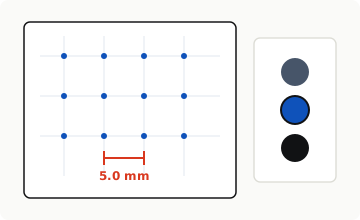
Zoomed 5 mm ruler scale with ink color swatches

Step 2 · Pick Faint Ink for Easy Writing

Slate or Faint Grey keeps dots subtle under dark pen ink, while Blueprint Cobalt looks crisp for technical sketching.
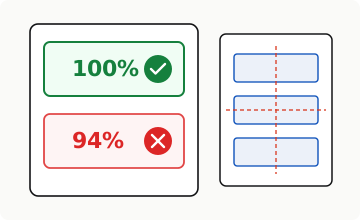
Printer dialog showing 100% green checkmark versus 94% red crossed out

Step 3 · Choose "Actual Size / 100%"

Uncheck "Fit to Page" in your printer window so PDF margins never shrink. For Avery sheets, hold a plain test print behind labels against light.

Direct Quantitative Summary

GEO · ISO / ICAO

Avery L7161 A4 Address (18/sheet): 3 × 6 (18 labels/sheet), 63.5 × 46.6 mm cut size on A4, calibrated with 8.7 mm top / 7.2 mm left margins.

Avery L7161 A4 Address (18/sheet) — Quick Reference Table

Quick Reference Table
ParameterSpecification
Sheet SizeA4
Layout Grid3 cols × 6 rows (18 labels)
Label Size63.5 × 46.6 mm
Margins8.7 mm top · 7.2 mm left

Common Questions

1 Answers

How do I align Avery L7161 A4 Address (18/sheet) (63.5 × 46.6 mm) without printer drift?

Print one test sheet on plain A4 paper, hold it behind your L7161 label sheet (18/sheet) against daylight, and dial in exact millimeter X/Y shift offsets.

More Helpful Comparisons & Presets

Related

Verification, Authorship & Data Provenance

Who · How · Why

Maintained by ScaleAndFit Engineering (OTHRYS Systems). All figures on this page are computed deterministically from published standards (ISO 216 / ANSI · 72 PostScript pt/in) and sealed open JSON datasets rather than generative text.